Docker + Buildx + GHCR 发布踩坑速记(问题 1 / 2 / 3)
服务器运维
最近在二开,next-ai-draw-nas 时候发布镜像时候,遇到的问题记录。
Docker + Buildx + GHCR 发布踩坑速记(问题 1 / 2 / 3)
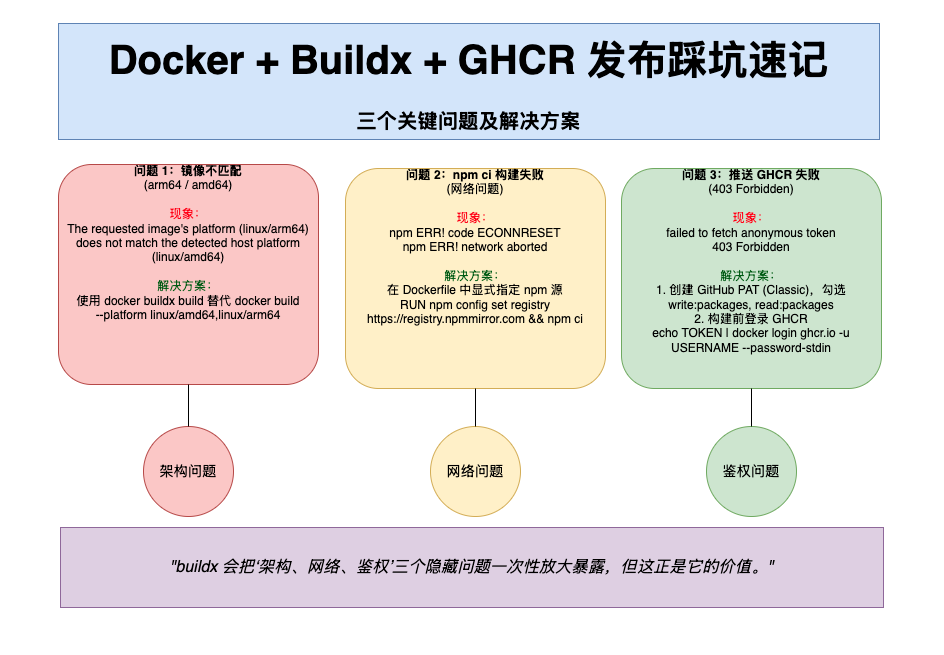
问题 1:镜像不匹配(arm64 / amd64)
现象
text
1The requested image's platform (linux/arm64)
2does not match the detected host platform (linux/amd64)
根因
- 使用
docker build构建并推送 - 实际只生成了 当前宿主机架构的单一镜像
- 在其他架构机器运行时触发不匹配
关键认知
docker build→ 单架构(取决于宿主机)docker buildx build→ 多架构(Manifest)
正确方式
bash
1docker buildx build \
2  --platform linux/amd64,linux/arm64 \
3  -t ghcr.io/xxx/xxx:latest \
4  --push .
镜像没错,错的是把“单架构镜像”当成“多架构镜像”发布。
问题 2:npm ci 构建阶段失败(网络问题)
现象
text
1npm ERR! code ECONNRESET
2npm ERR! network aborted
失败点固定在 Dockerfile:
dockerfile
1RUN npm ci根因
- Docker build / buildx 中使用默认 npm registry
- 容器内网络不稳定,arm64 构建更容易失败
- 宿主机 npm 配置不会自动生效
解决方案
在 Dockerfile 中显式指定 npm 源:
dockerfile
1RUN npm config set registry https://registry.npmmirror.com \
2 && npm ci
或使用 nrm 切换源。
text
1 abm@localhost ~ nrm ls
2 npm ---------- https://registry.npmjs.org/
3 yarn --------- https://registry.yarnpkg.com/
4 tencent ------ https://mirrors.tencent.com/npm/
5 cnpm --------- https://r.cnpmjs.org/
6 taobao ------- https://registry.npmmirror.com/
7 npmMirror ---- https://skimdb.npmjs.com/registry/
8* huawei ------- https://repo.huaweicloud.com/repository/npm/问题 3:推送 GHCR 失败(403 Forbidden)
现象
text
1failed to fetch anonymous token
2403 Forbidden
发生在:
bash
1docker buildx build --push根因
buildx --push在构建阶段直接推送- Docker 未登录
ghcr.io - GitHub Token 缺少
write:packages权限 - GHCR 不支持匿名 push(即使是 public)
解决方案
1️⃣ 创建 GitHub PAT(Classic),勾选:
text
1write:packages
2read:packages
2️⃣ 构建前登录 GHCR:
bash
1echo TOKEN | docker login ghcr.io \
2  -u USERNAME \
3  --password-stdin
3️⃣ 再执行 buildx:
bash
1docker buildx build \
2  --platform linux/amd64,linux/arm64 \
3  -t ghcr.io/用户名/镜像名:latest \
4  --push .
一句话总总结
buildx 会把“架构、网络、鉴权”三个隐藏问题一次性放大暴露,但这正是它的价值。