!!! tip jmvn init 快到你无法想象,丝滑的感觉 !!!
使用命令快速创建项目
你可以方便的使用工具创建基于SpringBoot的Maven多模块应用,如下示例。

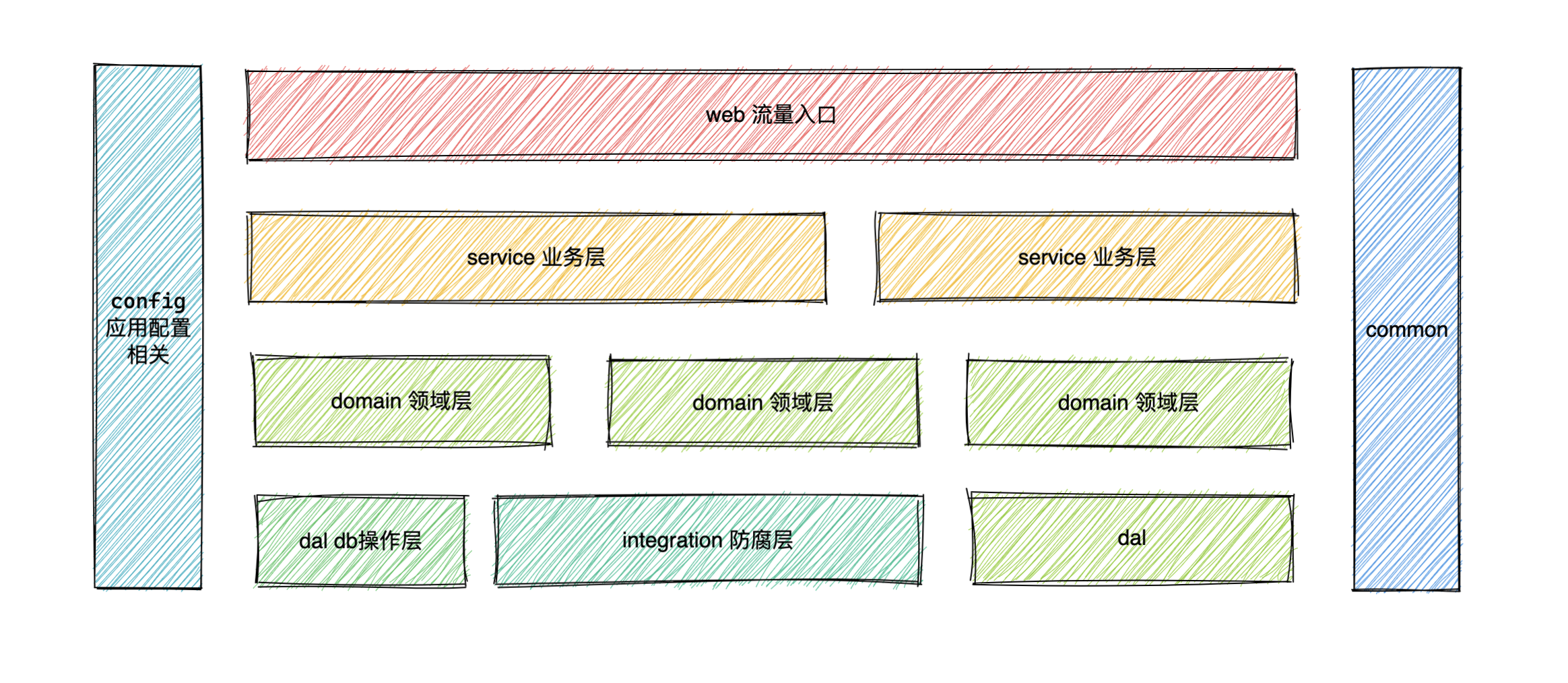
项目创建后会自动生成一个配置文件。默认项目的结构如下。
json
{
  "namespace":[
    {
      "type":"web",
      "path":"example/example-web/src/main/java/com/github/example/web/",
      "packagePath":"com/github/example/web"
    },
    {
      "type":"service",
      "path":"example/example-service/src/main/java/com/github/example/service/",
      "packagePath":"com/github/example/service"
    },
    {
      "type":"domain",
      "path":"example/example-domain/src/main/java/com/github/example/domain/",
      "packagePath":"com/github/example/domain"
    },
    {
      "type":"dal",
      "path":"example/example-dal/src/main/java/com/github/example/dal/",
      "packagePath":"com/github/example/dal"
    },
    {
      "type":"integration",
      "path":"example/example-integration/src/main/java/com/github/example/integration/",
      "packagePath":"com/github/example/integration"
    },
    {
      "type":"config",
      "path":"example/example-config/src/main/java/com/github/example/config/",
      "packagePath":"com/github/example/config"
    },
    {
      "type":"common",
      "path":"example/example-common/src/main/java/com/github/example/common/",
      "packagePath":"com/github/example/common"
    }
  ],
  "config":{

  },
  "dbConfig":{
    "host":"",
    "user":"",
    "password":"",
    "database":""
  },
  "models":[
    {
      "suffix":"DO",
      "tableName":[

      ],
      "path":""
    }
  ]
}
手动添加配置文件
当你项目已经创建完成,但是想要使用的情况下, 你是可以通过配置的方式来支持的。
首先在项目的根目录创建文件 .jmvn.json
json
{
  "namespace": [
  ],
  "config": {},
  "dbConfig": {
    "host": "10.*.*.8",
    "user": "root",
    "password": "123456",
    "database": "test"
  },
  "models": [
    {
      "suffix": "DO",
      "tableName": [
        "user",
        "user_detail"
      ],
      "path": "example-dal/src/main/java/com/example/dal/entity"
    }
  ]
}
想法或问题?在 GitHub Issue 下方参与讨论
去评论