一、启动Arthas
curl -O https://arthas.aliyun.com/arthas-boot.jar
java -jar arthas-boot.jar
启动命令 java -jar arthas-boot.jar
二、选择进程
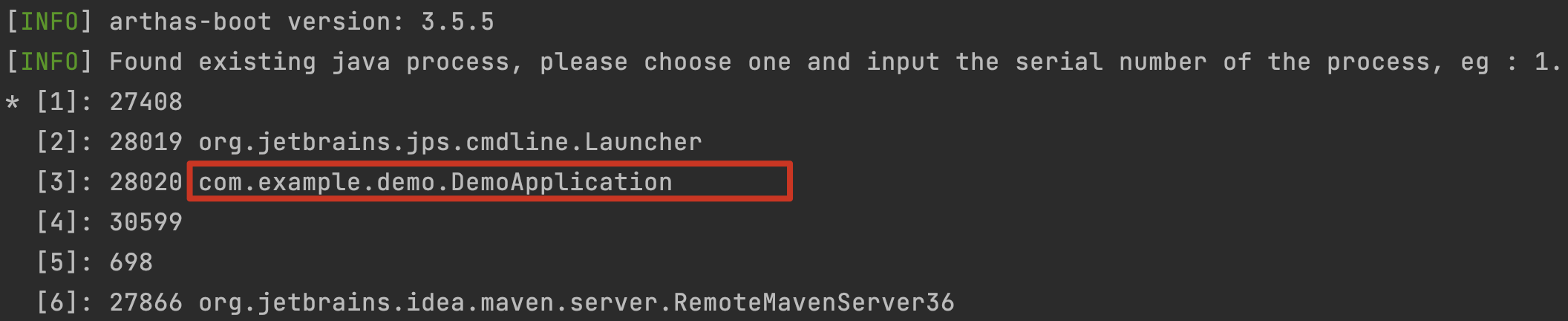
直接选择我们要监控的进程,输入3进入
[INFO] Attach process 28667 success.
[INFO] arthas-client connect 127.0.0.1 3658
  ,---.  ,------. ,--------.,--.  ,--.  ,---.   ,---.
 /  O   |  .--. ''--.  .--'|  '--'  | /  O   '   .-'
|  .-.  ||  '--'.'   |  |   |  .--.  ||  .-.  |`.  `-.
|  | |  ||  |      |  |   |  |  |  ||  | |  |.-'    |
`--' `--'`--' '--'   `--'   `--'  `--'`--' `--'`-----'

wiki       https://arthas.aliyun.com/doc
tutorials  https://arthas.aliyun.com/doc/arthas-tutorials.html
version    3.5.6
main_class com.example.demo.DemoApplication
pid        28667
time       2022-03-13 21:31:04
提示已经连接上进程。
三、基础信息查询命令
3.1 dashboard 看板命令
输入 dashboard

会定时将应用信息输出到控制台上。
3.2 jad 反向编译
jad com.example.demo.DemoApplication
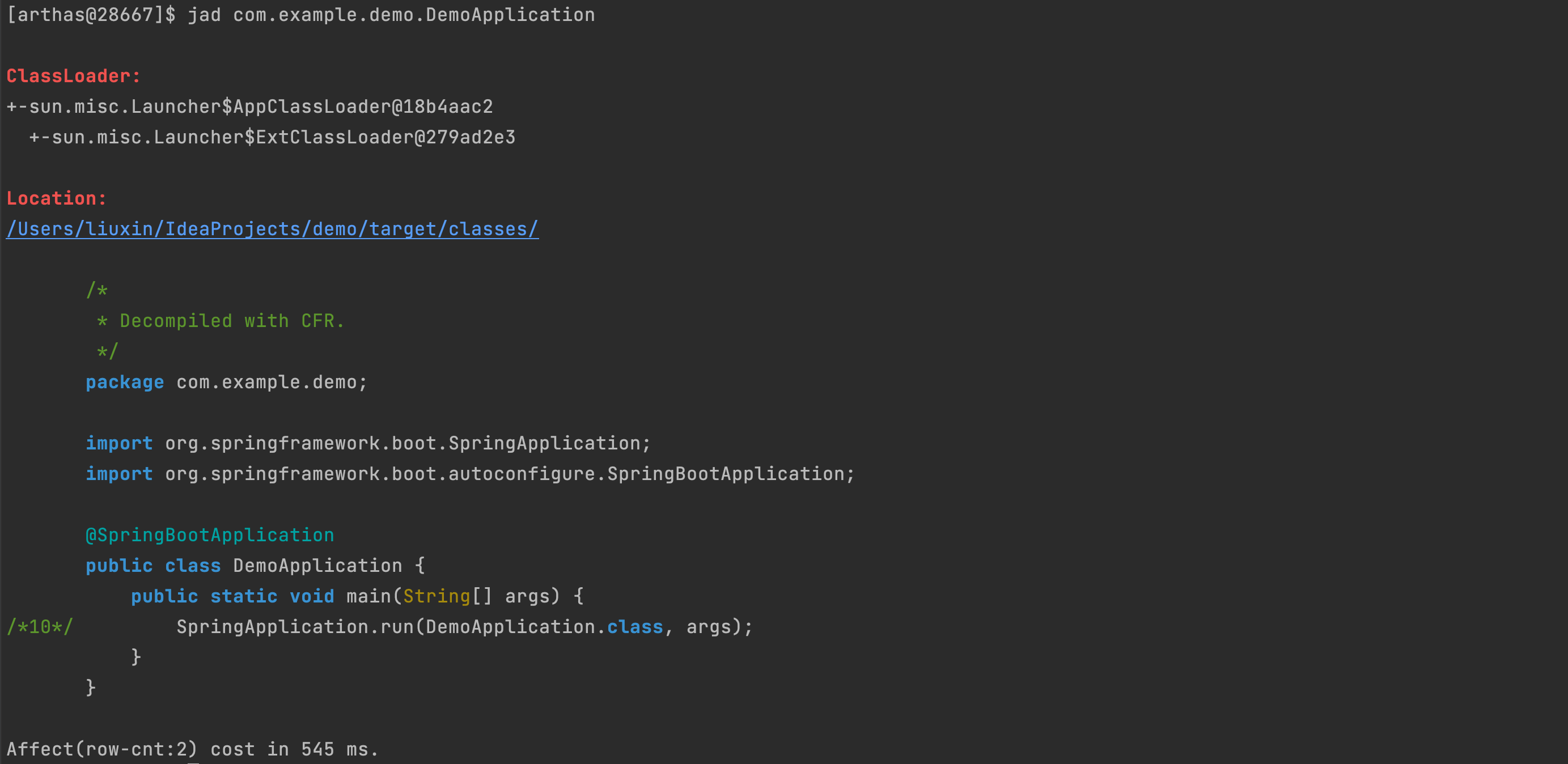
3.3 watch 监控指令
这个命令是比较常用的命令,可以用来分析系统性能。
java
package com.example.demo;

import org.springframework.web.bind.annotation.GetMapping;
import org.springframework.web.bind.annotation.ResponseBody;
import org.springframework.web.bind.annotation.RestController;
@RestController
public class WebController {

    @GetMapping("/get")
    @ResponseBody
    public String get(String name) {
        return name;
    }
}
监控这个类 watch com.example.demo.WebController get returnObj
| 参数名 | 含义 |
|---|---|
| returnObj | 返回值 |
| params | 入参 |
| target | 方法调用方 |
watch com.example.demo.WebController get {params,returnObj,target}
[arthas@32818]$ watch com.example.demo.WebController get returnObj
Press Q or Ctrl+C to abort.
Affect(class count: 1 , method count: 1) cost in 120 ms, listenerId: 1
method=com.example.demo.WebController.get location=AtExit
ts=2022-03-13 21:41:56; [cost=1.317166ms] result=@String[123]
method=com.example.demo.WebController.get location=AtExit
ts=2022-03-13 21:42:03; [cost=0.051875ms] result=@String[测试]
四、退出
输入 q
想法或问题?在 GitHub Issue 下方参与讨论
去评论